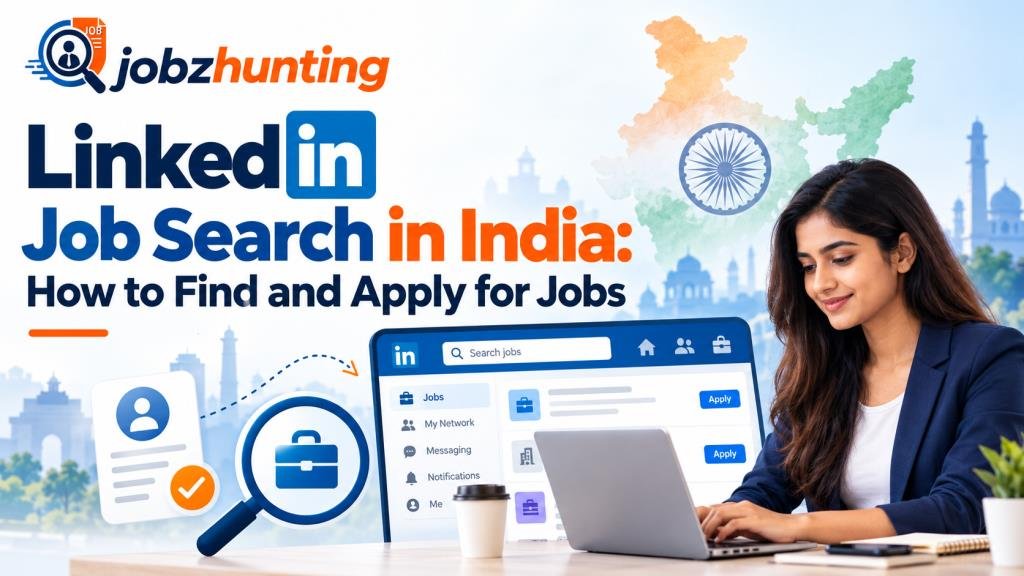
LinkedIn Job Search in India: How to Find and Apply for Jobs
Introduction
Finding the right job in India can be challenging, especially when thousands of candidates are applying for similar positions. LinkedIn has made the process easier by bringing job listings, recruiters, companies, and professionals together on one platform.
A well-planned linkedin job search can help you discover suitable vacancies, connect with recruiters, follow companies, and apply for jobs based on your skills and experience. Whether you are a fresher, an experienced professional, or searching for remote work, LinkedIn can be a useful part of your job-search strategy.
What Is LinkedIn Job Search?
LinkedIn Job Search is a feature that allows users to find vacancies by entering job titles, skills, companies, industries, and locations. You can also save jobs, create alerts, use filters, and apply directly to selected positions.
LinkedIn currently has both Easy Apply jobs, which allow you to submit an application within LinkedIn, and regular Apply jobs, which redirect you to the employer’s or another website.
Why Use LinkedIn for Job Search in India?
LinkedIn is different from a traditional job board because it combines job searching with professional networking. Indian job seekers can follow employers, connect with HR professionals, research companies, and build a professional online presence.
This makes linkedin job search useful for fresh graduates as well as experienced candidates looking for their next career opportunity.
How to Create a Job-Ready LinkedIn Profile
Before applying, complete your LinkedIn profile. Add a clear professional photograph, an informative headline, education, work experience, certifications, projects, and relevant skills.
Your About section should briefly explain who you are, what you can do, and the type of opportunities you are interested in. Keep all information accurate and include keywords related to your profession.
How to Search for Jobs on LinkedIn
Open the Jobs section and enter your desired job title, skill, or company. Then choose a location and use available filters to narrow your results.
Instead of searching only for broad terms such as “marketing jobs,” try specific searches such as “SEO Executive,” “Financial Analyst,” or “Java Developer.” More specific searches often make it easier to find relevant positions.
How to Find Jobs in India on LinkedIn
For an India-focused linkedin job search, combine your preferred role with a location. For example, search for “Data Analyst Bengaluru,” “Software Engineer Hyderabad,” or “Digital Marketing Executive Delhi.”
You can also explore opportunities in cities such as Mumbai, Pune, Chennai, Kolkata, Gurugram, and Noida. If location is not important, include remote and hybrid positions in your search.
LinkedIn Job Search for Freshers in India
Freshers should search for positions using terms such as fresher, graduate, entry level, trainee, internship, and 0–2 years experience.
If you do not have professional experience, highlight academic projects, internships, certifications, technical abilities, volunteering, and achievements on your profile. These details can demonstrate your potential to recruiters.
LinkedIn Job Search for Experienced Professionals
Experienced professionals should clearly show their career achievements, responsibilities, tools, industries, and specialised skills.
Instead of applying for every available position, concentrate on jobs that match your experience. If possible, mention measurable achievements such as revenue generated, costs reduced, projects completed, or teams managed.
How to Find Remote and Work From Home Jobs on LinkedIn
LinkedIn allows job seekers to look for remote opportunities. Use the workplace filters and keywords such as remote, work from home, or your job title followed by “remote.”
Always read the description carefully because some remote jobs may require applicants to live in a particular country or region.
How to Set Up LinkedIn Job Alerts
Job alerts save time by notifying you when suitable vacancies are posted.
After performing a job search, enable the alert for those search criteria. LinkedIn currently allows job alerts to be delivered daily or weekly through email, app notifications, or both.
How to Use Open to Work on LinkedIn
The Open to Work feature allows you to indicate that you are interested in new employment opportunities.
You can specify job titles, locations, workplace types, employment types, and your preferred start date. In India, LinkedIn also allows Open to Work users to provide their notice period or availability to join and expected annual salary for recruiters.
How to Find Recruiters and Hiring Managers on LinkedIn
Search for terms such as HR Recruiter, Talent Acquisition Specialist, Hiring Manager, or HR Manager along with your desired company or industry.
Before contacting someone, check whether that person actually recruits candidates in your profession. Relevant connections are usually more valuable than randomly adding hundreds of people.
How to Connect With Recruiters on LinkedIn
When sending a connection request, introduce yourself briefly. Mention your profession, skills, experience, or reason for connecting.
Avoid starting the conversation by simply saying, “Give me a job.” A short and professional introduction creates a much better first impression.
How to Message a Recruiter for a Job Opportunity
Keep your message short and relevant. Mention the position you are interested in and one or two qualifications that make you suitable.
Message Example for Freshers
“Hi, I recently completed my degree in Computer Science and have developed skills in Python, SQL, and data analysis. I would be glad to connect and learn about suitable entry-level opportunities at your company.”
Message Example for Experienced Candidates
“Hi, I am a digital marketing professional with five years of experience in SEO and paid advertising. I noticed your Digital Marketing Manager opening and would like to connect regarding the opportunity.”
How to Apply for Jobs on LinkedIn
Read the entire job description before applying. Check the required experience, responsibilities, qualifications, skills, and location.
Customise your resume according to the position rather than submitting exactly the same resume everywhere. Make sure your LinkedIn profile and resume contain consistent information.
What Is LinkedIn Easy Apply and How Does It Work?
Easy Apply lets candidates submit applications without leaving LinkedIn. Depending on the employer, you may need to provide your resume, contact information, experience, and answers to screening questions.
LinkedIn currently places limits on rapid or excessive Easy Apply submissions, encouraging users to focus on relevant, thoughtful applications instead of mass applications.
How to Upload and Use Your Resume on LinkedIn
You can upload a resume while completing an Easy Apply application or save resumes in your job application settings for future applications.
LinkedIn currently stores up to four recently uploaded resumes that can be reused when applying for jobs. Keep separate resume versions if you are targeting different job categories.
Learn More: Data Analyst Jobs in India: Salary, Skills & Eligibility
How to Use Keywords to Improve Your LinkedIn Job Search
Keywords help recruiters and LinkedIn understand your professional expertise.
Include relevant job titles, skills, software, certifications, and industry terminology in your headline, About section, experience, and Skills section. For example, a data analyst might naturally include terms such as SQL, Excel, Power BI, Python, dashboards, and data visualisation.
How to Make Recruiters Find Your LinkedIn Profile
Complete every important section of your profile and keep it updated. Use a clear headline, accurate location, relevant skills, and detailed work experience.
You can also participate professionally by commenting on industry discussions, following companies, sharing useful information, and maintaining an active professional network.
Popular Jobs to Search for on LinkedIn in India
LinkedIn can be used to search for jobs across technology, finance, marketing, sales, engineering, consulting, design, operations, HR, and customer service.
Common searches may include Software Developer, Data Analyst, Business Analyst, Digital Marketing Executive, Accountant, Sales Executive, HR Executive, Product Manager, and Graphic Designer.
How to Identify Fake Job Posts on LinkedIn
Never assume every online vacancy is genuine.
Be cautious when someone asks you to pay money for a job, requests banking information too early, promises unusually high earnings for little work, or immediately pressures you to move the conversation to WhatsApp or Telegram.
LinkedIn specifically advises job seekers not to provide payments or financial account credentials as part of an application process.
Common LinkedIn Job Search Mistakes to Avoid
Common mistakes include:
- Using an incomplete profile
- Applying without reading the job description
- Sending the same resume for every position
- Using a weak or unclear headline
- Ignoring relevant keywords
- Sending generic messages to recruiters
- Applying for jobs that do not match your qualifications
A focused linkedin job search is more useful than applying randomly.
Tips to Improve Your Chances of Getting Hired Through LinkedIn
Apply for positions that genuinely match your qualifications. Customise your resume, set job alerts, follow target companies, and connect with relevant professionals.
Regularly update your profile when you earn a certification, complete a project, learn a skill, change jobs, or achieve something important professionally.
LinkedIn Job Search vs Other Job Portals in India
LinkedIn’s biggest difference is its combination of professional networking and job searching. You can research employers and communicate with professionals while looking for vacancies.
However, you do not need to depend entirely on LinkedIn. Combining LinkedIn with company career pages and established Indian job portals can broaden your search.
Frequently Asked Questions
Is LinkedIn good for finding jobs in India?
Yes. LinkedIn provides job listings, company information, recruiter connections, job alerts, and application features that can support job seekers in India.
Is LinkedIn free for job seekers?
Yes. LinkedIn offers free accounts with core networking and job-search features. Premium subscriptions provide additional features but are not necessary for searching for many jobs.
How do I find fresher jobs on LinkedIn?
Search using terms such as fresher, entry level, trainee, graduate, and internship. You can then narrow your results by location and other filters.
Can I find remote jobs on LinkedIn?
Yes. Use LinkedIn’s workplace filters and relevant keywords to search for remote opportunities.
Should I message recruiters after applying?
You can send a brief professional message if you identify a relevant recruiter. Avoid repeated messages or demanding an immediate response.
How often should I update my LinkedIn profile?
Update your profile whenever you gain a new skill, certification, project, achievement, promotion, or job.
Is LinkedIn Easy Apply effective?
Easy Apply makes the application process convenient, but relevance still matters. A tailored resume and a strong match with the job requirements are more important than submitting large numbers of applications.
Conclusion
A successful linkedin job search involves much more than clicking the Apply button. Build a professional profile, use specific search terms, create job alerts, connect with relevant recruiters, customise your resume, and check job opportunities carefully before applying.
For both freshers and experienced professionals in India, LinkedIn can help make the job-search process more organised while also building a valuable professional network. Consistent effort and targeted applications can help you discover opportunities that better match your skills and career goals.